

You’re mid-meeting. A client emails asking to reschedule. Your calendar is buried in another app. You’re already behind. What if you could handle it all — email, calendar, rescheduling, even voice replies — without leaving one screen?
The Problem Nobody Talks About
Productivity apps promised to save us time. Instead, they fragmented it. You’re context-switching between email, calendar, notes, and screenshots of schedules. A meeting gets announced in Slack. A deadline lands in an email. Someone texts you their availability. By the time you’ve logged everything, you’ve lost 20 minutes and your focus.
For busy managers and productivity enthusiasts, this isn’t just inefficient — it’s exhausting.
Enter Tascanade: The Unified Inbox for Your Time
Tascanade does something radical: it merges email and calendar into a single, intelligent flow. No more app-hopping. No more manual data entry.
I’ve been using it for the last two weeks, and honestly? It feels like having a superpower. The idea of combining email and calendar into one seamless workflow is a game-changer. No interruptions. No friction. Just one unified space where I can block my calendar, reply to emails, or reschedule important meetings — all without breaking focus. It’s the kind of simplicity that makes you wonder why every productivity app doesn’t work this way.
Here’s what actually changes:
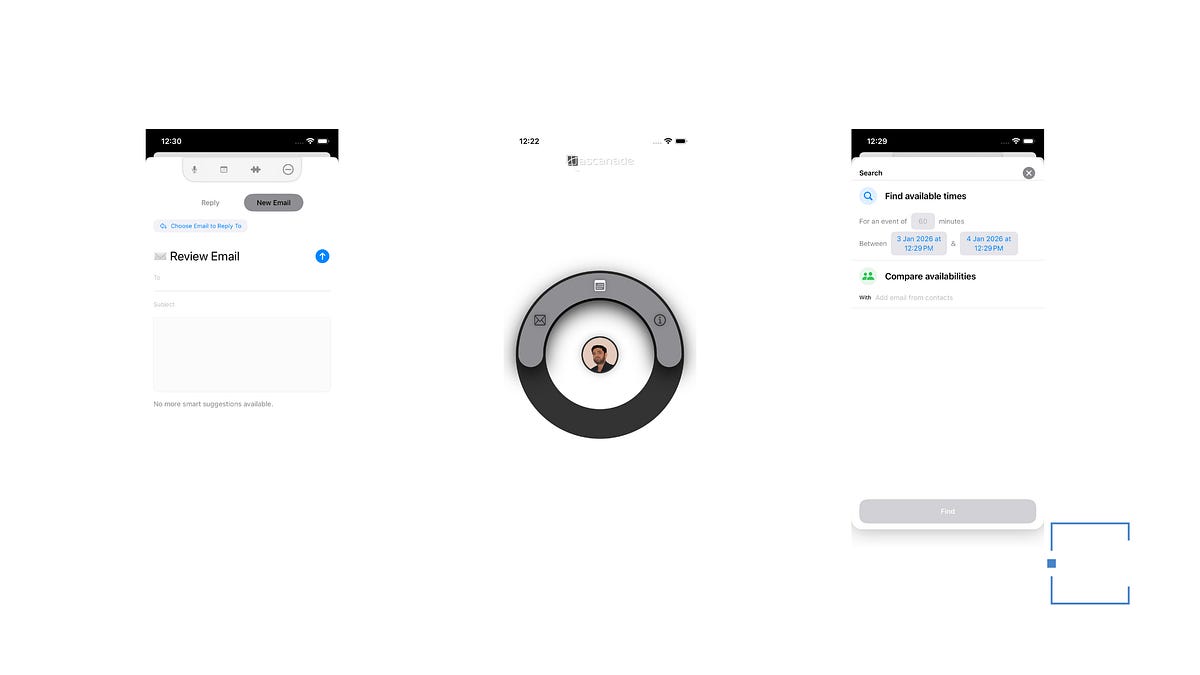
1. Voice-to-Email, Instantly Threaded Speak your reply. Tascanade matches it to the right contact and thread — even if you just say “tell Kyle…” It understands context. It knows who you meant. Hit send, and it’s already in the right conversation. No hunting through your inbox.
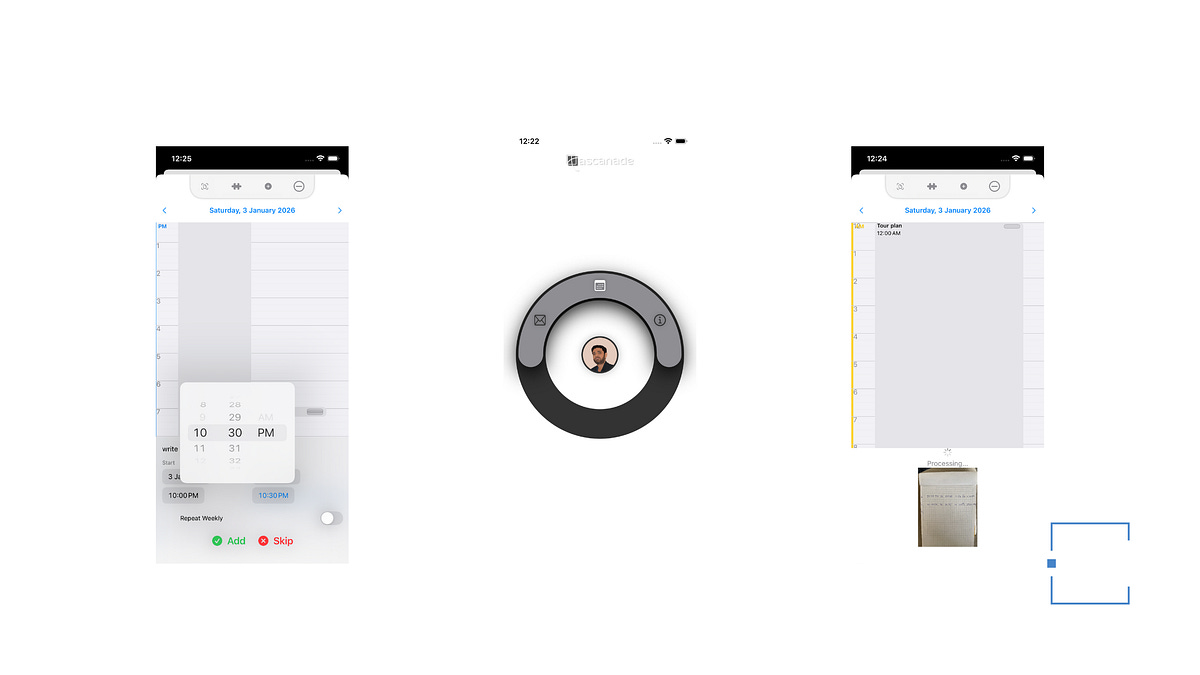
2. Screenshot → Calendar Event (Literally) Got a syllabus? A messy handwritten schedule? A screenshot of an announcement? Take a photo. Tascanade reads it — handwriting, blur, everything — and auto-creates events. Recurring meetings? It handles those too. Missing a date? It infers the next logical date and lets you confirm before saving.
3. One Draft, Multiple Outcomes This is where it gets powerful. In a single draft, you can:
Write or voice-reply to an email
RSVP to a calendar event
Reschedule a meeting
Create a new event
All in one action.
Live suggestions appear as you draft — add a reason you can’t make it, propose alternative times, accept or decline. Everything applies instantly.
4. Find Common Ground (Without the Back-and-Forth) Need to schedule with a colleague? Tascanade compares availability across your workspace and finds the first mutual free slot. You can request it via email or schedule it directly — both happen simultaneously. No more “does Tuesday work?” ping-pong.
5. Drag-and-Drop Rescheduling Adjust timing with a single gesture. Your calendar stays in sync with your email. No double-entry. No forgotten updates.
Why This Matters for You
For Busy Managers: You’re drowning in coordination. Tascanade cuts the noise. Fewer emails asking “when works?” Fewer calendar conflicts. More time actually doing the work.
For Productivity Enthusiasts: You’ve tried everything. This isn’t another app — it’s a workflow redesign. It removes friction at the exact point where most systems fail: the gap between communication and scheduling.
For Young Professionals: You’re juggling multiple projects, multiple people, multiple deadlines. Tascanade lets you stay responsive without staying glued to your phone.
The Real Kicker: It’s iOS-Exclusive and Dirt Cheap
Tascanade is available on iOS only (sorry, Android friends). The Pro version? $1.99/month.
That’s less than a coffee. For a system that reclaims hours of your week.
The Bottom Line
Your calendar and email aren’t separate problems — they’re the same problem. Tascanade finally treats them that way. One flow. One draft. One action. Everything else syncs.
If you’re tired of context-switching, tired of manual scheduling, tired of emails asking “when are you free?” — this is worth the two bucks.
Download Tascanade on iOS. Your future self will thank you.
Thanks for reading.
Keep reading, Keep sharing.