

Four weeks with Wispr Flow — what changed, what didn’t, and where it actually lives in my workflow.
Hey,
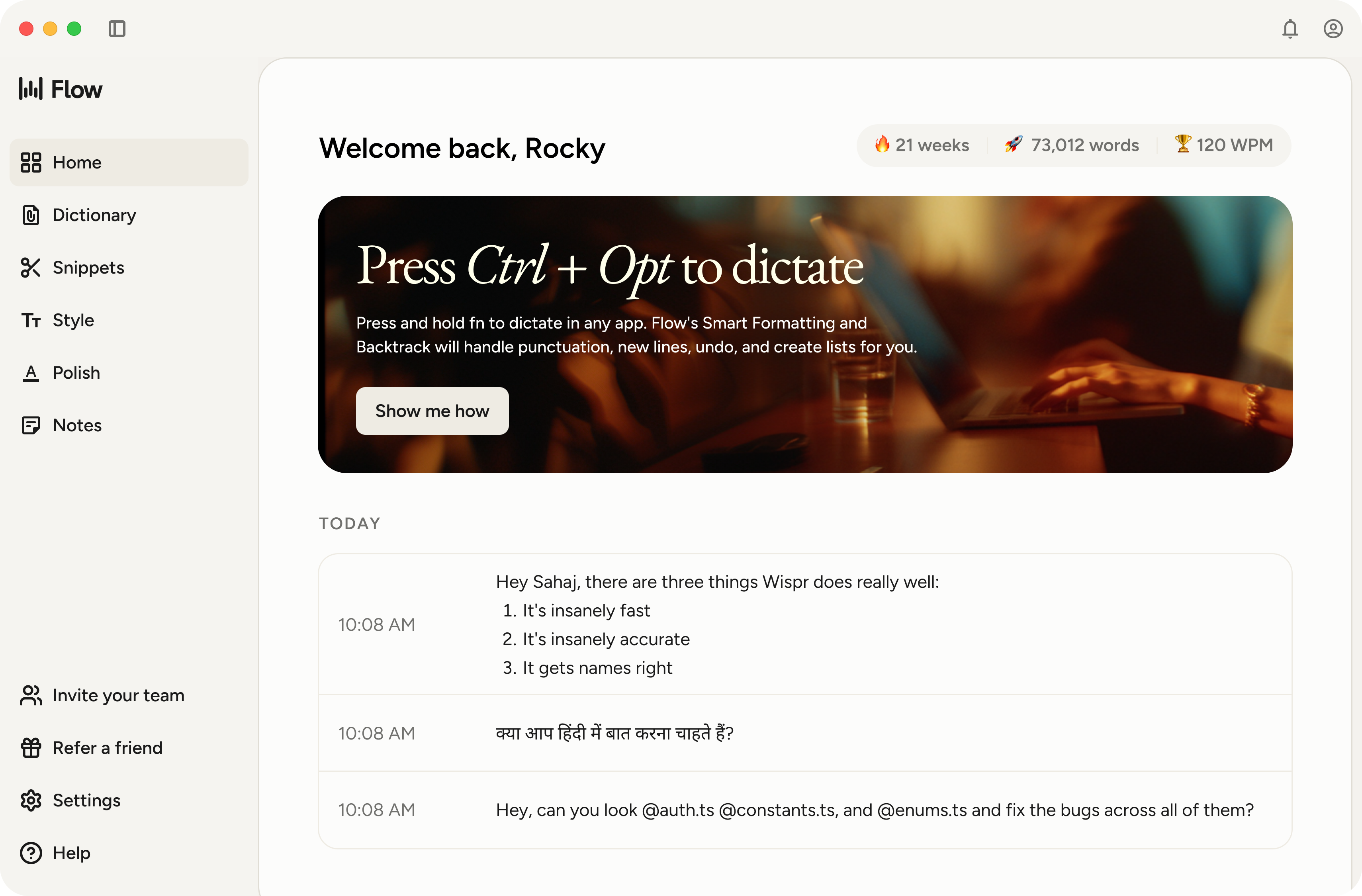
About a month ago, I wrote about Wispr Flow and why it finally felt like a voice tool worth trusting. That post was about the product — what it does, why the Android launch mattered, why the accuracy was different.
This one is about what happened after.
Because there’s always a gap between “this is impressive” and “this is actually part of how I work now.” Most tools don’t make it across that gap. Wispr Flow did — but not quite in the way I expected.
A bit of context on my setup
My notes world is split between two apps: Coda for everything project-related (meetings, planning, client work), and Obsidian for personal PKM — book notes, ideas, the kind of thinking that doesn’t belong to any project.
Before Wispr Flow, getting things into either app required me to be at my desk, typing. Ideas that came on a commute, between meetings, or mid-walk either got lost or ended up in a voice memo I’d “process later.” You know how that goes.
What changed in Obsidian
This is where the habit formed first, and fastest.
I open Obsidian on Android, tap into my daily note, and speak. What shows up reads like a note — not a raw transcript. The friction that made voice capture feel like extra work is just gone.
The shift I didn’t anticipate: I capture more and filter less. I used to mentally edit before typing — deciding if something was worth writing down. Now I capture first and decide later. My daily notes are richer for it.
I also stopped using the Obsidian voice plugin I’d been trying. Wispr Flow is better because it’s not an Obsidian feature — it works at the system level. It doesn’t care what app I’m in.
What changed in Coda
Coda took a bit longer, but this is where Wispr Flow has saved me the most actual time.
My old meeting notes process: rough shorthand during the meeting, cleanup session afterward to organize everything into the Coda project doc. That cleanup was supposed to happen right after the meeting. It usually happened the next morning, if at all.
Now: I open the Coda doc before the meeting, and immediately after — sometimes still in the room — I speak through what happened. Decisions, action items, key context. Wispr Flow types while I talk. I fix a sentence or two. Done.
Three minutes instead of twenty. And because I’m doing it while it’s fresh, the notes are actually better than what I used to produce typing from memory later.
The workflow I’ve settled into: lightweight shorthand during the meeting, then speak the substance after. It’s made meeting notes go from something I dreaded to something I don’t think about.
The habit that surprised me
I started using it for things I never planned to — Slack replies I was putting off, quick task updates, roughing out sections of a blog post when the thought was there but the time wasn’t.
Once the muscle memory forms in one context, you start reaching for it everywhere. Not because you’re forcing it. It’s just there, and it works.
What didn’t change
Intentional, structured writing still happens at the desk, typing. When word choice matters — a planning doc, something that needs precision — speaking doesn’t help. The speed advantage disappears, and editing spoken prose takes longer than just writing carefully.
Wispr Flow didn’t make me someone who never types. It made me someone who types for the right things and speaks for the right things. That’s actually the ideal outcome. The tool found its lane.
Worth it?
If you read the first post and thought “I’ll try it when I have time” — the habit actually forms. The free tier is a real way to evaluate it, and the 14-day Pro trial requires no card.
For Android users especially, this is worth fifteen minutes of your time. Set it up inside an app you already use every day and see what happens.
The real test of any tool isn’t the first week. It’s whether it’s still part of your workflow a month later. Wispr Flow passed that test — quietly, without fanfare. Which is exactly how the best tools earn their place.
Try Wispr Flow free for 14 days → Mac, Windows, iPhone, Android. No card required.
Disclosure: affiliate link — I was a paying user before I became an affiliate.
That’s it for this week. If this was useful, forward it to someone who’s still drowning in unprocessed voice memos.
See you next week.
— Astu
If someone forwarded this to you — welcome! You can subscribe here.
Find me on X · Medium · Buy me a coffee