

I’ve spent the last five years jumping between apps — Notion & Coda for databases, Obsidian for notes, Todoist for tasks, Apple Notes & ideaShell for quick captures, Capacities for Projects. In 2026, I’m done. I’m consolidating everything into one tool, and it’s not because I’m chasing the latest trend. It’s because Tana finally solved the problem that’s plagued every productivity system I’ve tried: capturing ideas and managing projects without friction.
Why Now? Why Tana?
For years, I’ve watched the productivity space evolve. Tools got more powerful, but they also got more fragmented. The irony? The more apps you use to “stay organized,” the more time you spend context-switching between them.
That changes in 2026 for me.
I’m officially moving to Tana as my unified system for notes, project management, and quick capture. This isn’t a casual experiment — I’ve invested in a course and template to ensure I’m using it optimally for my specific workflow. But what pushed me over the edge? Two features that fundamentally changed how I think about capturing and processing information.
The Game-Changer #1: Tana Capture with AI Voice Chat
Imagine this: You’re in a meeting, driving, or just thinking through a complex problem. Instead of typing notes or voice memos that sit in limbo, you can have a two-way conversation with AI directly in Tana.
This is what Tana’s AI Voice Chat enables. It’s not just voice-to-text transcription — it’s an actual dialogue. You can:
Explore ideas in real-time with an AI thinking partner
Act as a coach to talk through decisions and plans
Brainstorm without the friction of typing
Auto-fill fields as you talk, so your thoughts are instantly structured
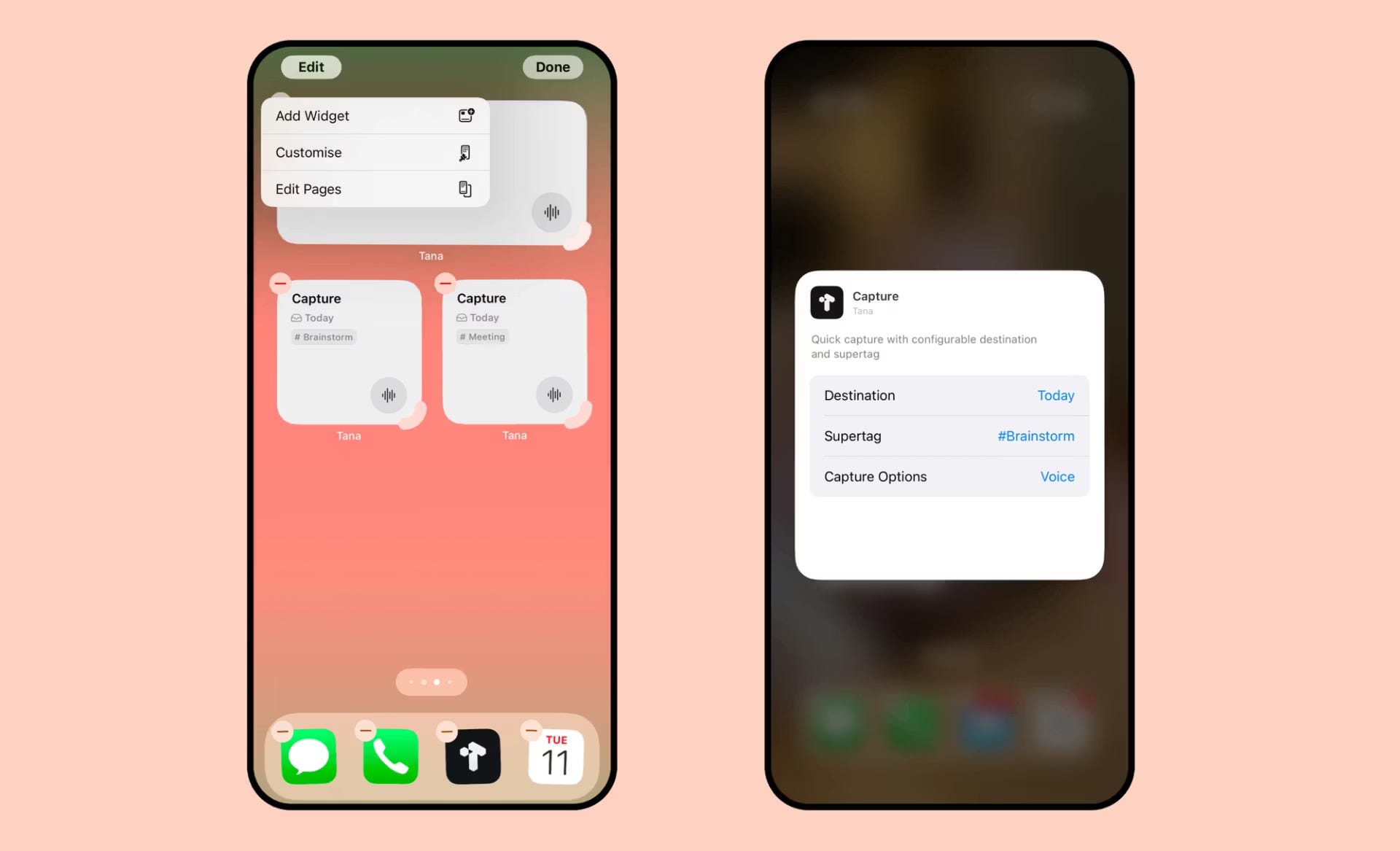
The captured output flows directly into Tana, meaning your ideas are already in your system, already organized. No more orphaned voice memos. No more “I’ll organize this later” (which never happens). I do use mostly to capture my tasks or ideas (Supertags; Tasks or Brainstorm)
Combined with Capture to Tomorrow on mobile — which lets you capture thoughts via home screen widgets and have them appear in tomorrow’s daily note — Tana has solved the capture problem that’s plagued every system I’ve used.
The Game-Changer #2: Meeting Assistance
Meetings are where information goes to die. You take notes, but they’re scattered. You miss action items. Context gets lost.
Tana’s Meeting Assistance feature is designed to change this. While I’m still exploring its full potential, the promise is clear: better meeting capture, clearer action items, and information that actually flows into your project management system instead of disappearing into a notes app.
For someone managing multiple projects, this is transformative.
The Supporting Cast: 2025’s Tana Developments
Beyond these two headline features, 2025 brought a suite of improvements that made consolidation feel possible:
Import from Notion: I was able to migrate my existing Notion workspace (.zip, .csv, .md exports) while preserving structure and converting databases. No data loss, no manual re-entry.
Embed Loom & X Posts: Paste a Loom video or X post URL, and it automatically embeds. Small feature, massive quality-of-life improvement.
AI Chat History in Sidebar: All my AI conversations are now stored in a dedicated “AI chats” node in my library, with easy filtering and navigation. I can actually reference past thinking.
Keyboard Shortcuts for Tab Management: Re-arrange tabs in Tana Desktop with keyboard shortcuts. Sounds minor, but fluid navigation matters when you’re using one tool all day. I use it all day.
The Consolidation Play
Here’s what I’m doing in 2026:
Deleted my old workspaces and started fresh with a blank canvas on a Plus plan (Yes, I have deleted past notes, project database-paid templates too)
Imported my Notion content to preserve existing projects and structure
Invested in a course and template to optimize my setup for project and task management.
Committed to using Tana as my sole system for notes, projects, tasks, and quick capture
The goal isn’t to use the fanciest tool. It’s to eliminate the cognitive load of managing multiple systems. Every minute spent switching apps is a minute not spent on actual work.
What’s Next
I’m officially making the move on January 1st, 2026 (with a trial period in December 2025). I’ll be documenting what works, what doesn’t, and how Tana handles real-world project management at scale.
If you’re considering a similar consolidation — or if you’re curious about whether Tana can actually replace your current stack — stay tuned. I’ll be sharing what I learn.
The question isn’t whether Tana is the “best” tool. The question is: can it be your only tool? For me, in 2026, the answer is yes.
What about you? Are you consolidating your productivity stack? What’s holding you back from using a single system?
Thanks for reading.
Keep reading, Keep sharing.
Stay Productive.